How these numbers were produced
Most format comparisons quote ratios without saying where they came from. These came from a script in this project that draws three deterministic 900×600 test images, encodes each one through the Canvas toBlob API at four quality settings, and records the exact byte count of every result.
That matters because it is the same code path the Image Converter uses. When this page says a photo lands at 62 KB as WebP, that is what BravoConvert would actually hand you, not a figure borrowed from another tool with a different encoder.
Why the three formats behave differently
PNG compresses losslessly. It looks for patterns it can describe more compactly — runs of identical pixels, rows that resemble the row above — and rebuilds the original exactly. Nothing is thrown away, so re-saving a PNG a hundred times leaves it identical. The catch is that photographic noise has no pattern to exploit, so PNG ends up storing it nearly verbatim.
JPG compresses lossily. It splits the image into blocks, converts each into frequency components, and rounds off the high-frequency ones your eye weights least. The quality slider controls how aggressively it rounds. This works beautifully on smooth gradients and poorly on hard edges, which is why text and line art picked up halos in the flat graphic test.
WebP offers both modes and generally makes smarter decisions than JPG at the same nominal quality — but “generally” is doing real work in that sentence, as the fine-detail measurements show.
The measurements
Photographic
Soft gradients and grain, the way a camera photo behaves

| Quality | JPG | WebP | Smaller format |
|---|---|---|---|
| 0.4 | 16 KB | 9 KB | WebP by 45% |
| 0.6 | 31 KB | 23 KB | WebP by 25% |
| 0.8 | 64 KB | 62 KB | WebP by 2% |
| 0.95 | 202 KB | 175 KB | WebP by 13% |
| PNG (lossless) | 941 KB | ||
Flat graphic
Solid fills, sharp edges and text, the way a logo or UI screenshot behaves
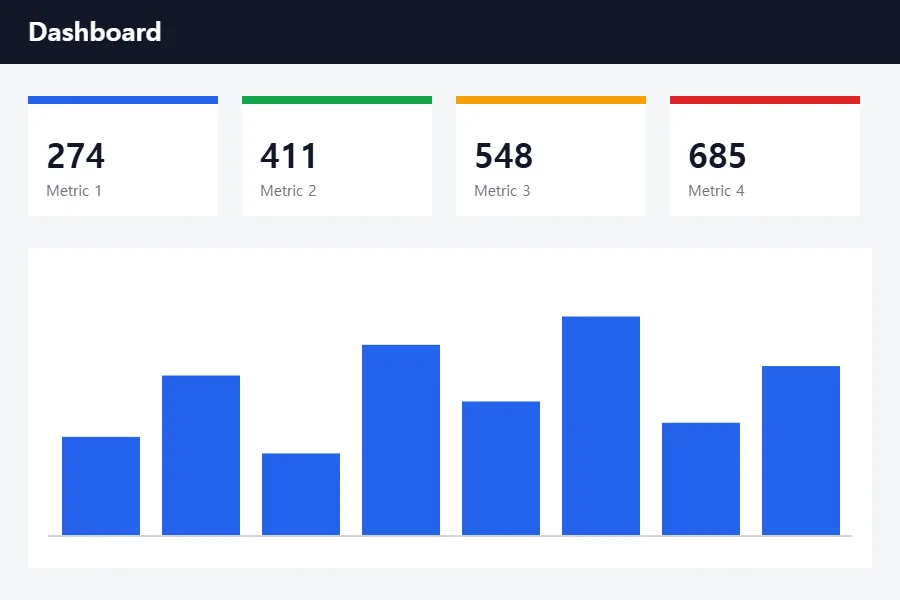
| Quality | JPG | WebP | Smaller format |
|---|---|---|---|
| 0.4 | 15 KB | 6 KB | WebP by 60% |
| 0.6 | 17 KB | 7 KB | WebP by 61% |
| 0.8 | 21 KB | 8 KB | WebP by 63% |
| 0.95 | 31 KB | 11 KB | WebP by 63% |
| PNG (lossless) | 24 KB | ||
Fine detail
Dense high-frequency texture, the hardest case for any codec
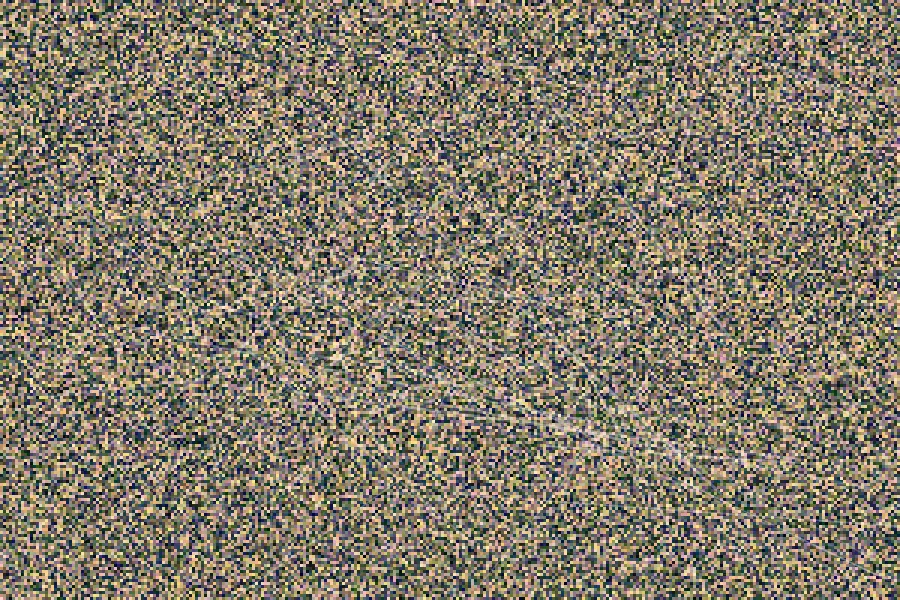
| Quality | JPG | WebP | Smaller format |
|---|---|---|---|
| 0.4 | 149 KB | 184 KB | JPG by 19% |
| 0.6 | 193 KB | 218 KB | JPG by 12% |
| 0.8 | 278 KB | 280 KB | JPG by 1% |
| 0.95 | 494 KB | 422 KB | WebP by 14% |
| PNG (lossless) | 589 KB | ||
What the numbers actually tell you
1Saving a photograph as PNG costs about 15× the bytes
The photographic sample is 941 KB as a PNG and 64 KB as a JPG at quality 0.8 — roughly 15× larger for a difference most viewers will not notice at normal size. PNG has to record every grain of sensor noise exactly; JPG is allowed to approximate it.
2For flat graphics, JPG is close to pointless
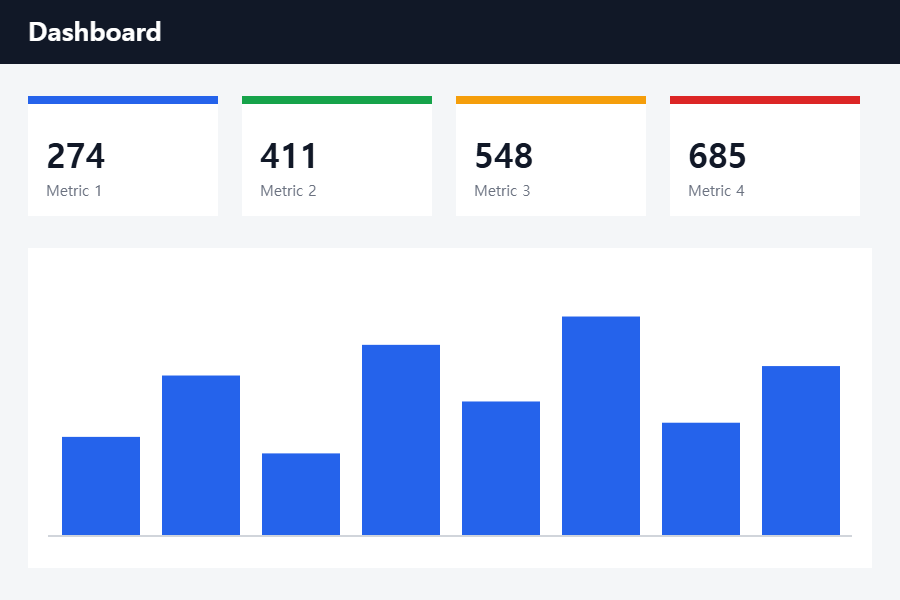
On the dashboard-style sample, PNG is 24 KB and JPG quality 0.8 is 21 KB. You give up lossless accuracy and gain only about 12% — while introducing ringing around the text and chart edges. WebP at the same quality is 8 KB, which is the setting worth reaching for.
3WebP is not always smaller — this is the part most guides skip
On the dense high-frequency sample at quality 0.4, JPG produced 149 KB and WebP produced 184 KB. WebP was about 24% larger. At quality 0.8 the two are within a percent of each other. WebP's advantage is real on smooth and flat content, and it narrows or reverses on noisy texture.
4The top of the quality slider is expensive
Moving the photographic sample from quality 0.8 to 0.95 takes it from 64 KB to 202 KB — about 3.2× the file for the last sliver of the scale. Most of those bytes go toward preserving grain and noise rather than detail you would miss.
What JPG quality actually looks like
Quality settings are easier to judge by eye than by number. Below is the same crop of the photographic sample encoded at each quality level and magnified 2× so the difference is visible at reading size.
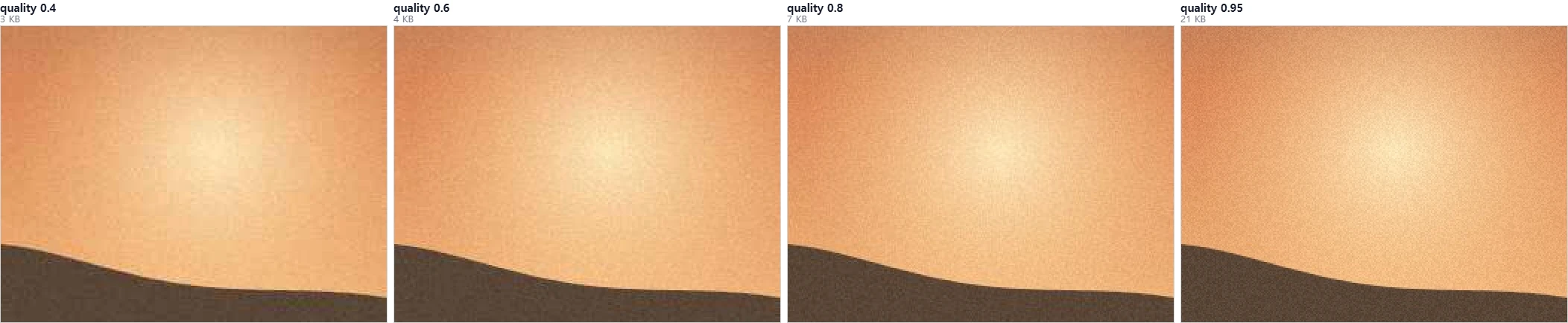
The visible change is not blockiness — it is grain. At quality 0.4 the encoder smooths the sensor noise away and the crop lands near 3 KB. At 0.95 that noise is faithfully preserved and the same crop costs roughly seven times as much. If your source is a noisy photo, a high quality setting is largely spending bytes on the noise.
Transparency support
No alpha channel at all. Transparent pixels have to be filled with a background color on export, which is why a logo saved as JPG arrives on a solid rectangle.
Full 8-bit alpha, so edges stay smooth against any background. The safe default for logos, icons, and screenshots with transparency.
Alpha in both its lossy and lossless modes — the reason a transparent WebP is usually far smaller than the equivalent PNG.
Choosing a format
| If your image is… | Choose | Because |
|---|---|---|
| A photo for a website you control | WebP, quality 0.8 | Smallest file at a quality difference you will not see |
| A photo for upload, email, or print | JPG, quality 0.8 | Universally accepted; near-identical size to WebP here |
| A logo, icon, or screenshot with transparency | PNG | Lossless alpha and no artifacts around text or edges |
| A flat graphic or UI capture for the web | WebP | 8 KB against 24 KB for PNG on our sample |
| Dense texture at an aggressive compression level | Test both | JPG can beat WebP here; the usual assumption fails |
Compatibility
JPG and PNG are accepted essentially everywhere. WebP is supported by every current browser, but older software, some printers, and certain upload forms still reject it. If a destination refuses a WebP file, converting it to JPG or PNG in the Image Converter resolves it — and since the conversion runs in your browser, the file never leaves your device.
Check the numbers yourself
The uncompressed PNG originals used for every measurement above are published here. Drop one into the converter, try the settings this page describes, and compare the byte count your browser produces against ours.

Ready to convert? Use the Image Converter to switch between JPG, PNG, and WebP, or read how to reduce file size for more control over quality settings.